Best AI Photo Editing Software
We reviewed and compared the best AI photo editing & culling software for photographers. Find the best software for your needs.

Written by Steve G., Professional Photographer
Photographers' Choice
1

Imagen
Photographers' Choice
Imagen
Key Features:
Compatibility:
Pricing and Offers
Compatibility:

Pricing and Offers
 Try it for free
2

Narrative
Our top pick
Narrative
Key Features:
Compatibility:
Pricing and Offers
Compatibility:

Pricing and Offers
3

FilterPixel
Our top pick
FilterPixel
Key Features:
Compatibility:
Pricing and Offers
Compatibility:

Pricing and Offers
4

Evoto.ai
Our top pick
Evoto.ai
Key Features:
Compatibility:
Pricing and Offers
Compatibility:
Pricing and Offers
5
Picsart
Our top pick
Picsart
Key Features:
Compatibility:
Pricing and Offers
Compatibility:

Pricing and Offers
Top AI Photo editing tools in 2025
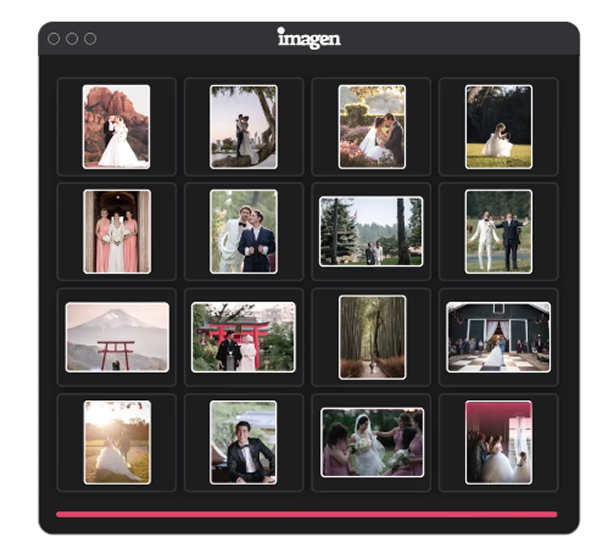
- Product – Imagen offers bulk editing, AI-powered photo culling, and cloud storage to dramatically speed up post-production.
- Process – Works by analyzing your editing style, applying it automatically in Lightroom/Photoshop/Bridge, and simplifying your culling and delivery workflow.
- User Experience – Easy to set up, with a clean interface and smooth Adobe integration; most users are up and running in under an hour.
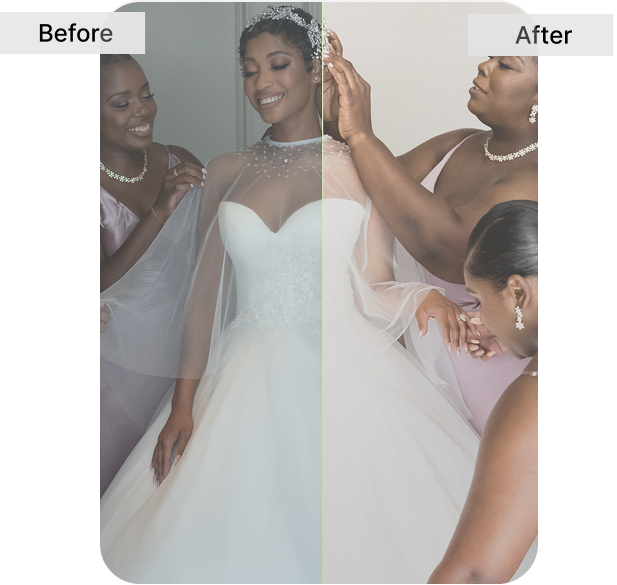
- Effectiveness – Cuts editing time by up to 96% while maintaining consistent, professional results across thousands of photos.
- Support – Backed by responsive customer support, tutorials, and a growing global community of photographers.
- Cost – Pricing is per-photo with flexible AI Tools and storage add-ons, making it scalable for both solo photographers and large studios.
- Discounts & Promotions – New users get their 1,000 First edits for free + 2 free culling projects.
- Saves massive amounts of editing time
- Learns and adapts to your unique style
- Robust retouching tools built in
- Lightroom and Adobe integration
- Optional Talent Profiles for instant pro looks
- Cloud backup and delivery options
- Works best within the Adobe ecosystem
- Per-image pricing can become costly for very high-volume shooters
- Retouching is strong but not a full Photoshop replacement
- Internet connection required for cloud and syncing features
Product – Narrative provides AI-assisted culling and editing; strong selection filtering tools and AI-presets (personal, artist, narrative styles).
Process – Import RAW/JPGs fast (thousands at once), work offline or online, use Scenes view, Face assessments, Close-ups panel for spotting strong picks.
User Experience – Responsive UI; you keep creative control; quick imports & fast browsing; good choice for photographers who want precision + speed.
Effectiveness – Helps cut culling time in half; AI presets assist with consistent color & skin tones; improves workflow speed dramatically.
Support – Comprehensive documentation, free trial (30 days), active user feedback; integrates with Lightroom, Photoshop, Capture One etc.
Cost – Subscription-based, includes editing, presets, exporting; tiered plans depending on usage; free trial available.
Discounts & Promotions – Free trial for new users; occasional promotions; check Narrative’s site for latest deals.
Pros
- Strong culling and selection tools.
- Variety of AI presets (personal, artist, built-in).
- Offline functionality for many tasks.
- Good export support to common editing tools.
Cons
- Less published info about deep retouch, masking, background extraction etc.
- Some tasks may still require external editing software.
- Once heavy retouch or compositing is needed, narrative may not suffice alone.
- Product – FilterPixel offers cloud-based AI culling plus style-aware edits, a marketplace of styles, and seamless exports to Lightroom, Capture One, and Photo Mechanic.
- Process – You import RAW/JPG, train your style profile or use marketplace styles, then let the system learn your editing preferences.
- User Experience – Fast import and culling, easy UI; good for event, wedding, newborn, food, etc.; cloud-based so internet required.
- Effectiveness – Helps you save hours per shoot, especially by automating selection and applying consistent styles.
- Support – Resources like blog, helpdesk; active community; formats widely supported.
- Cost – Free trial available; pricing tiers based on number of images/shoots; cloud storage and export features included.
- Discounts & Promotions – Usually offers free trial; check current site for any image-credit bonuses or sales.
- Excellent culling speed plus style-aware edits.
- Versatile across genres.
- Marketplace of styles helps those who want quick looks.
- Smooth exports to Lightroom, Capture One, Photo Mechanic.
- Less strong in deep retouching / finishing features.
- Requires reliable internet for cloud workflows.
- For heavy mask/overlay work, still needs external tools.
- Pricing can add up at high volumes because of cloud/upload costs.

Product: Henry Meds offers an online Testosterone Replacement Therapy (TRT) program using FDA-approved medications to help men with low testosterone regain energy, muscle mass, and overall well-being.
Process: The TRT process involves an online medical intake, a telehealth consultation with a licensed provider, and home delivery of prescribed medications, making it highly convenient.
Support: Patients receive ongoing medical supervision through regular telehealth check-ups, ensuring the therapy remains safe and effective.
Effectiveness: The therapy is based on clinical research and proven treatments, helping to alleviate symptoms like fatigue, low libido, and brain fog when properly monitored.
Cost: Henry Meds provides transparent and competitive pricing with no hidden fees, making TRT more affordable than many traditional in-clinic options.
Discount & Coupon Codes: While specific discounts and coupons may be available, pricing transparency ensures patients understand their costs upfront.
User Experience: The platform is designed for ease of use, with a seamless digital process, straightforward consultations, and reliable medication delivery.
Safety: Henry Meds ensures patient safety by using only FDA-approved treatments and licensed healthcare providers, minimizing risks associated with unregulated testosterone therapy.
Pros:
- Utilizes FDA-approved medications for safe and effective treatment.
- Streamlined process with online medical intake and telehealth consultations.
- Direct-to-door medication delivery for ultimate convenience.
- Regular telehealth check-ups ensure proper medical oversight.
- Transparent pricing with no hidden fees.
Cons:
- Availability is limited to certain states, restricting access for some patients.
- Requires internet access and a compatible device for telehealth consultations.
The AI Photo & Video Post-Production Landscape
AI is transforming photo and video post-production by automating editing, culling, storage, and even video workflows. Photographers can now train AI to match their unique style, retouch portraits in bulk, or let the software pick the best frames from thousands of images. Cloud integrations make delivery faster, while emerging video tools bring consistency to footage as well. From weddings to portraits, sports, and real estate, AI helps professionals save hours, deliver quicker, and scale their business.
For professionals, this means more time spent shooting, working with clients, and growing a business — and less time stuck behind a screen. For studios, it opens the door to handling larger volumes of work without sacrificing turnaround speed or quality.
Use the comparison chart above to find the service that best fits your workflow and start focusing on what you love most: creating.
AI Photo Editing
AI photo editing has become one of the most valuable time-savers for modern photographers. Instead of adjusting exposure, white balance, or color tones manually across thousands of images, AI systems can apply your style automatically in seconds. Most platforms allow you to either train a Personal AI Profile based on your past edits or select pre-built styles from other photographers.
Beyond global corrections, many AI editors now include advanced retouching and finishing tools, such as skin smoothing, acne and blemish removal, teeth whitening, glare reduction, background cleanup or extraction, and noise reduction. These features enable photographers to deliver polished, client-ready images without needing to spend hours in Photoshop.
AI Photo Culling
Culling is often more time-consuming than editing, especially after a wedding or event shoot with thousands of frames. AI culling tools analyze images for sharpness, facial expressions, duplicates, and composition. They automatically remove unusable frames and highlight the best options, grouping similar shots so you can quickly validate or fine-tune the selections.
The result: what used to take hours of manual review can now be completed in minutes, without losing creative control. This makes AI culling a crucial tool for any photographer dealing with high-volume work.
AI Cloud Storage & Workflow Integration
Many AI platforms now include cloud storage and workflow tools that go beyond editing and culling. These features allow you to back up both low- and high-resolution files automatically, access projects from multiple devices, and collaborate with team members or clients.
Integration with software like Lightroom, Photoshop, or Capture One ensures that AI fits smoothly into existing workflows rather than replacing them entirely. Some platforms also support direct client delivery, saving even more time in the post-production cycle.
For busy studios or photographers who want reliability and scalability, cloud-based AI storage and integration is an increasingly valuable part of the ecosystem.
AI Video Editing
The newest frontier in post-production is AI video editing. While still emerging, these tools apply many of the same principles used in photo editing to moving footage. Early features include AI color correction and grading, ensuring consistent tones across multiple clips and varying lighting conditions, as well as scene-based edits for faster assembly.
Videographers can already batch-process clips with AI-driven looks or styles, and future releases are expected to expand into automated cutting, sound cleanup, and advanced retouching. For wedding videographers, content creators, and commercial teams, AI video editing promises the same benefits that AI photo editing has delivered: faster turnaround, consistent quality, and less time spent on repetitive tasks.
Use Cases: What to Prioritize by Niche
Wedding Photography
Weddings produce thousands of images under constantly changing lighting conditions — and couples expect fast delivery. AI culling groups similar shots and filters out blinks or blur, while personal style profiles ensure consistent edits across the entire day. Cloud backup helps keep projects safe during peak season, and integration with Lightroom streamlines delivery timelines.
Portrait Photography
Portrait and studio photographers spend much of their time on micro-retouching and consistent crops. AI tools can smooth skin while preserving natural texture, whiten teeth, and apply uniform headshot crops across large sets. Subject masking lets you refine facial features or adjust lighting hotspots without manual retouching in Photoshop.
Events & Sports / School Volume
High-volume shoots like school portraits or sports events demand speed and consistency. AI culling is ideal for sorting through action bursts, while portrait cropping and background extraction allow you to quickly create PNGs for composites, posters, or yearbooks. Batch edits keep colors and tones consistent across massive sets of images.
Real Estate Photography
Real estate images must be clean, consistent, and inviting. AI editing helps balance exposures across rooms, align colors, and correct perspectives for straight walls and professional composition. Automated culling trims out near-duplicates, while smart cropping and lighting adjustments ensure every listing looks cohesive.
Bonus: From Edit to Delivery
Some platforms now connect editing directly to client gallery delivery, letting you cull, edit, and publish in one seamless workflow. This saves hours of exporting, uploading, and re-organizing — giving photographers more time to focus on clients and new business.
Closing Thoughts
AI post-production is transforming photography and videography from the ground up. Whether it’s AI photo editing that keeps your style consistent, AI culling that cuts review time from hours to minutes, cloud storage and workflow integrations that simplify delivery, or emerging AI video tools that bring the same speed to moving images — these solutions are reshaping how creative professionals work.
Across niches, the benefits are clear:
- Weddings move from stressful deadlines to faster turnarounds.
- Portraits go from endless retouching to consistent, natural finishes.
- Events and sports scale without sacrificing quality.
- Real estate listings look polished and professional in record time.
Use the comparison chart above to explore the different platforms, then click through to the provider that best matches your style, volume, and goals. Every photographer’s path is different — but the right AI partner can save you time, delight your clients, and help you focus on what you love most: creating.